Lisk
2018-2019
Designing a secure mobile crypto wallet
The Lisk Mobile wallet allows you to easily transfer LSK tokens to others, view your transaction history and account balance. Given the ease of use and accessibility of smartphones, Lisk Mobile aims to attract all the users of Lisk in general. Every user needs an easy to use and customizable wallet in their smartphone for easy and fast transfers and status updates.

Role
UI/UX Designer
Team
Front & Back End Developers
Product Manager
QA Engineers
Industry
Blockchain
Skills
UX Research
User Testing
Prototyping
Key challenges
Lack of familiarity with crypto
Designing a user experience that educated and guided users through this learning curve was essential.
The 12-words passphrase
The requirement of a UX solution that emphasized the importance of passphrase management.
Striving for the right balance
Determining which features to prioritize and how to present them in an intuitive manner.
Impact
+10%
90-day retention
for active users, following clearer eligibility and onboarding around passphrase management.
+30%
Task completion rate on sign up
reached through repeated rounds of testing and refinement of the flow. This helped reduce drastically lost access incidents.
The Solution: Lisk Mobile App
Lisk Mobile App launched in October 4, 2018 at Lisk Berlin Meetup and it was successful. The Lisk Mobile App has significantly improved accessibility and engagement by providing a user-friendly mobile platform for managing LSK tokens, staking, and interacting with the Lisk blockchain, making it easier for both technical and non-technical users to participate.
This has led to increased adoption, enhanced community involvement, and a stronger, more decentralized Lisk ecosystem. The community shared with us great feedback, and helped us further improve the initial concept.
Onboarding
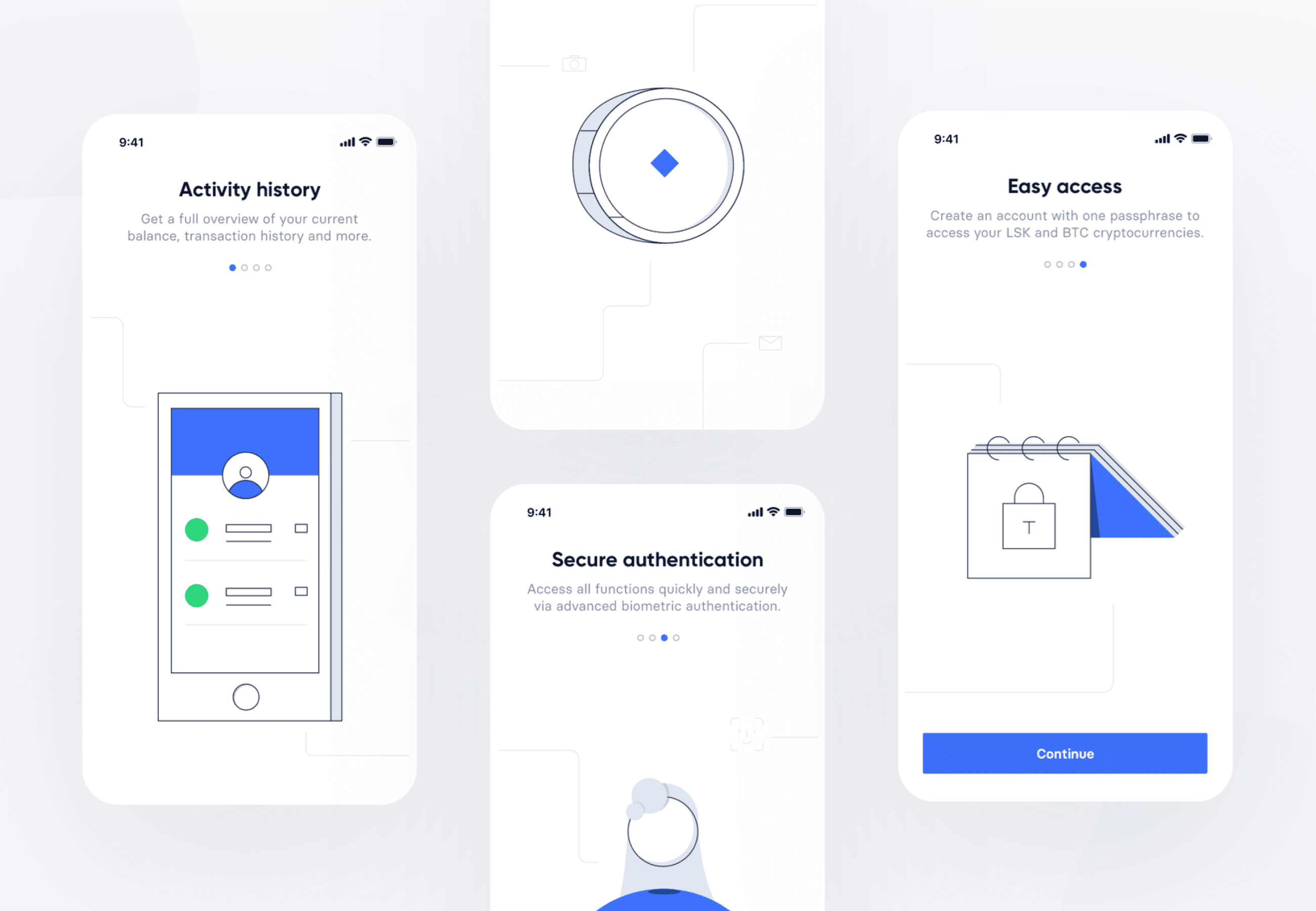
Designed to to build trust before asking for commitment. The onboarding shows the value first and sets clear expectations, letting users start account creation feeling confident rather than overwhelmed.
Account creation
Structured account creation flow to ensure the user would store the passphrase safely and verify it before proceeding to the final steps.
Sign in
Face ID and Touch ID capabilities introduced to overcome the challenge of manually entering every login the 12-word passphrase. This contributed to remove the friction from the typically exhaustive login process of cryptocurrency wallets.

Home Activity
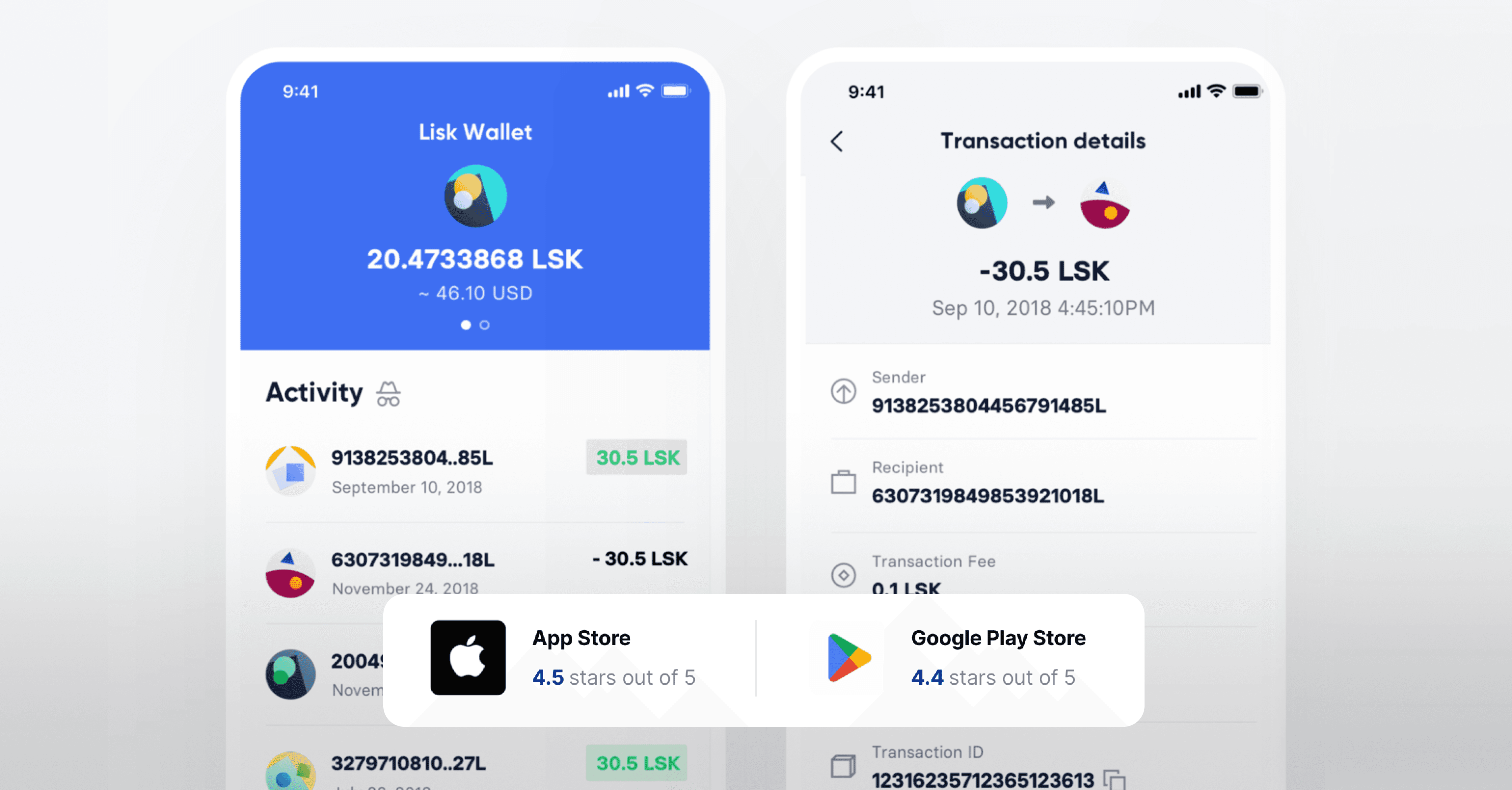
Lightweight home screen displaying a quick overview of the account's recent activity.

The process
We started inside with the Ideation phase, sketching the initial wireframes basing it off the desktop application, starting with must-have functionalities. It needed to be organized, allowing them to perform their tasks frictionlessly.Based on the experiences of our previous research team and the development of the Lisk Desktop wallet, we had the chance to include their knowledge into the mobile application.
We then focused on who is going to use it and what's the benefit they would get out of it, by offering a convenient addition for enhanced usability and overall convenience, as you can access your account anywhere you can take your mobile device. With the information from our desktop application, we created a minimum viable product (MVP) roadmap.
Target
The target user base at Lisk are developers and companies looking to get their ideas bootstrapped onto a blockchain, as well as crypto holders (basic users) and delegates (experienced users) deeply invested in Lisk applications.
Analysis
The most common pain point identified was the need for better accessibility and functionality without overwhelming users with unnecessary complexity.
Information architecture
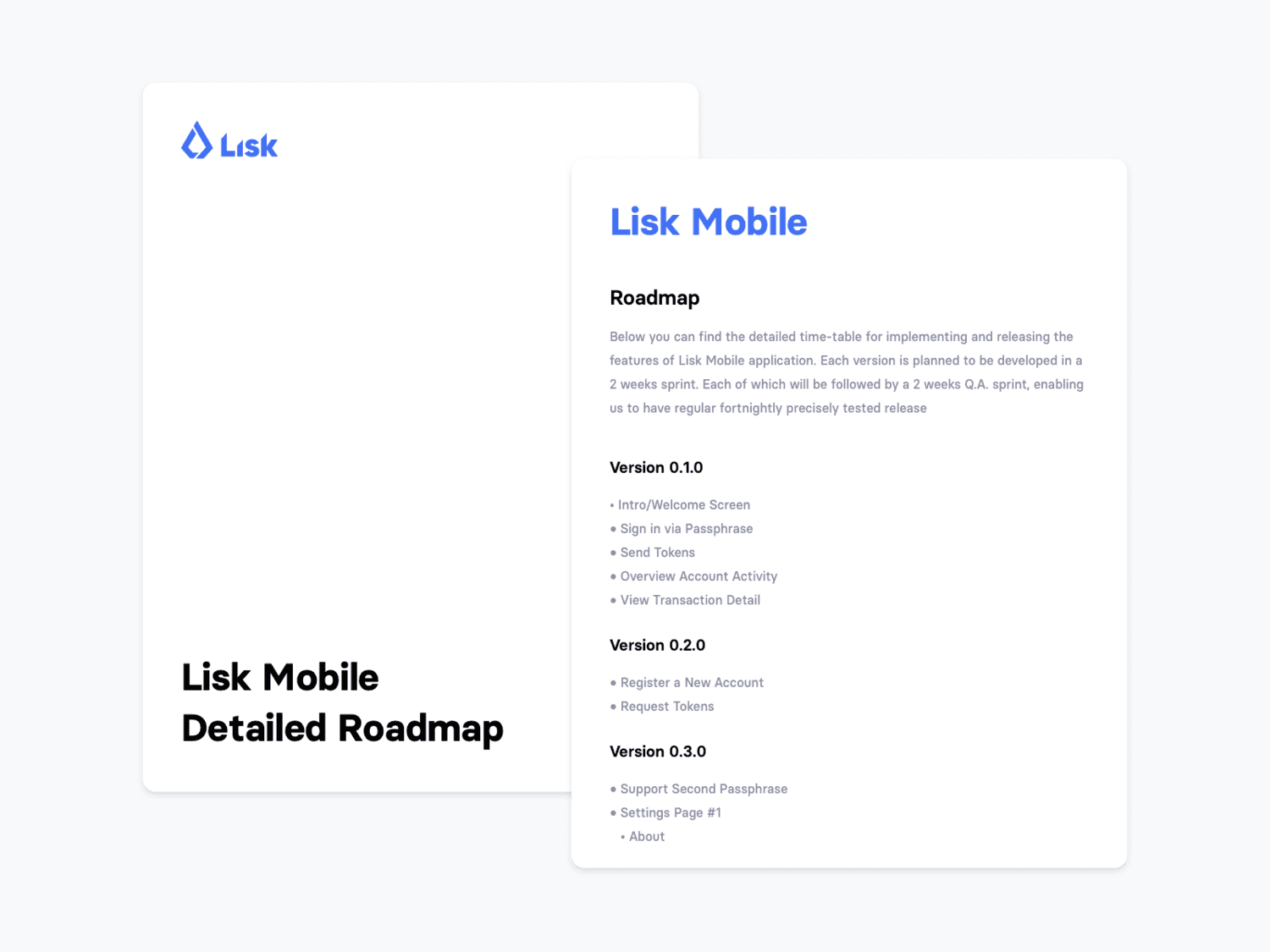
Information architecture helped us to better understand the complexity and future functionality we want to include in the Lisk Mobile Application.
Home: Main wallet overview for the user, which includes informations such as: address, balance, conversion rate. The main role of the home view is to showcase all the recent activities, meaning incoming and outgoing transactions of the account. As an user, you can enable the discreet mode, that allows users to hide sensitive data, such as amounts (either activity feed and transaction details) and balance, when they are in a public area and/or surrounded by people.
Transaction Detail: Here the user can find information related to a specific transaction, such as: sender, recipient, transaction fee, confirmations and transaction ID.
Request: The request page allows users to easily request a given token, offering the possibility to share the QR code that includes account information as well as amount requested, if included.
Send: Send tokens to a given account, by easily pasting their address or scanning the code of the given receiver.
Bookmarks: Through this view users can simply add, edit or remove their favorite or most used accounts.
Settings: Here the user can manage their security access information, change the look of the app and gather more information about Lisk.
Product requirements
A way for users to manage and check their account activity.
A way for users to send tokens to other accounts, for the given token selected.
A way for users to request tokens from a given account.
A clear arrangement of the informations.
Timely and not over-whelming application.
The validation process
Decisions made for this platform have been based on the insights we gathered through our user interviews in the research stage of this project. However, an appropriate next step would be to test our assumptions and validate the user experience choices that we have made.
1
User Research: Acquire Knowledge
Basic and more-advanced users. We want to make sure that the interface is clear and efficient to use for different target groups and we gather as much feedback as possible. We composed a group of circa 10 users for each persona.
2
Setting up the Environment
Focus on setting up the environment, ensuring that the test environment is as close to the real surroundings in which the product is expected to be used.
3
User Research: Tools Definition
User video recording of the user and their interaction with the screen is our pick. This is very useful for later review where you can see some details that you might have missed the first time around. We gather interaction heat-maps from users which will quantify the data in a way that you just cannot see the other way.
4
Take aways
Shipping was never the end. We kept iterating based on community feedback, releasing updates that fixed real issues and added features people actually asked for. Seeing the community grow and stay engaged made the work feel meaningful.
I have left the company Feb, 2020 to pursue another adventure. It was an amazing experience working on such a wide scale application with a great team.